
October 2026 by Tony ‘Fung’ Phung.
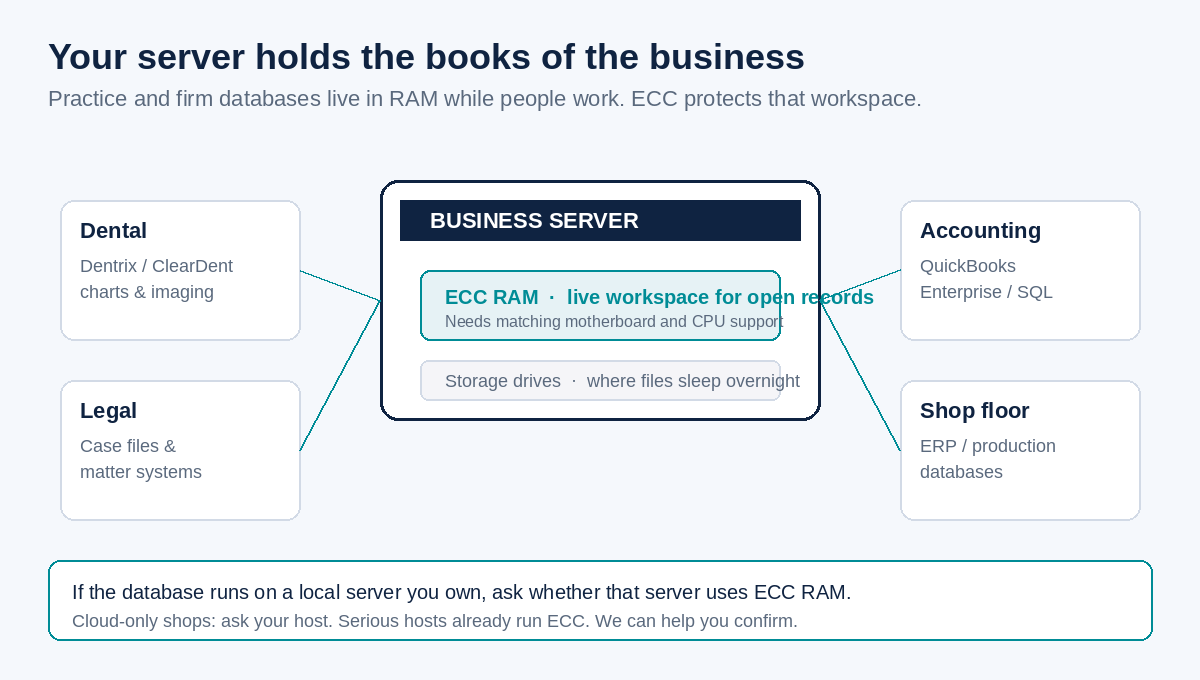
Your server holds years of records. Patient charts. Case files. Ledgers. Inventory. While your team works, those open records sit in memory (RAM), not only on the hard drive. That is why the kind of RAM matters if you run a database on a machine you own.
This post is about ECC RAM versus regular (non-ECC) RAM, in plain words. It is for dental clinics, law firms, accounting offices, manufacturers, and anyone else with a practice or server database: Dentrix, ClearDent, SQL Server, case management, QuickBooks Enterprise, and the rest.
RAM in one sentence
RAM is the server’s short-term workspace. The database loads the pieces it needs into that workspace so the office can chart, bill, search, and save without waiting on disk every second.
What can go wrong without ECC
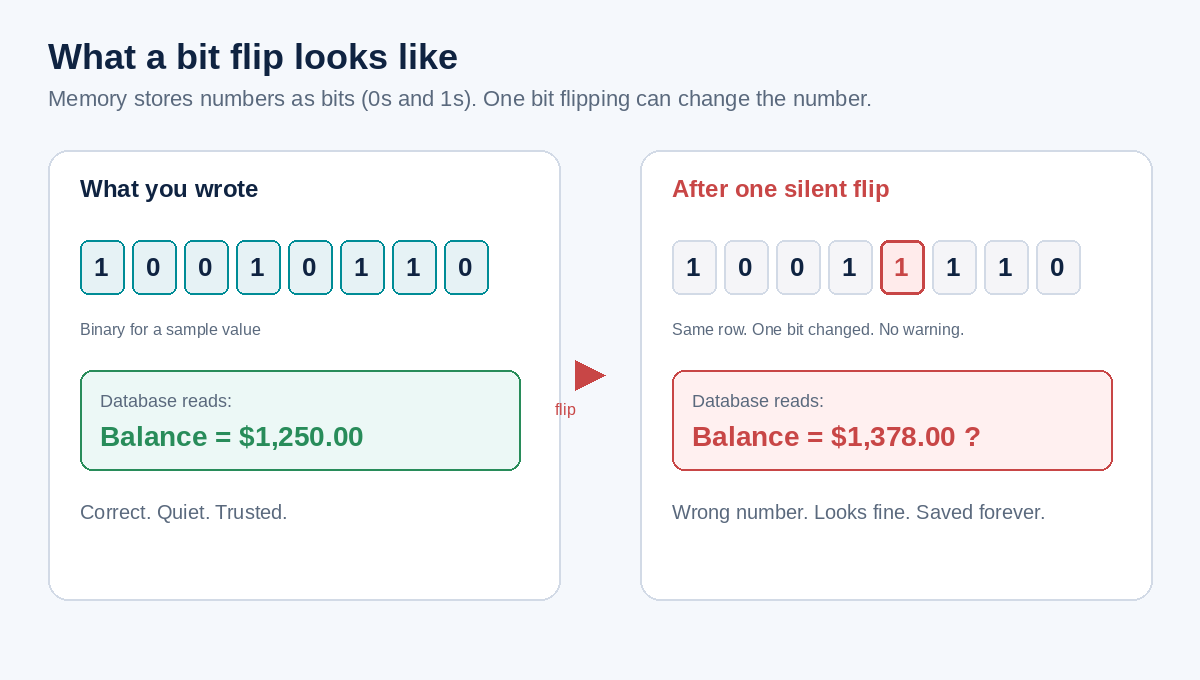
Memory stores values as bits: ones and zeros. Once in a while, a single bit flips. Heat, age, electrical noise, and even rare cosmic rays can do it. It is uncommon on any one day. On a server that runs for years and holds critical numbers, “uncommon” still deserves a plan.
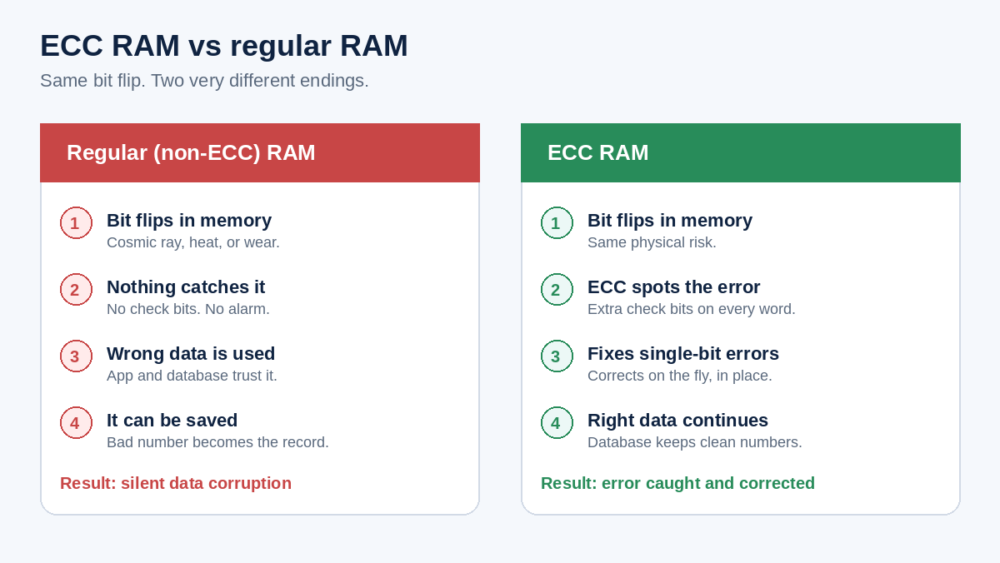
With regular RAM, nothing checks that bit. The software keeps going. The wrong value can look normal. It can get written back into the database. That is silent data corruption: bad data with no red alert.
We are not saying every desktop will corrupt your books tomorrow. We are saying a long-running business database deserves hardware that watches for this class of error.
What ECC RAM does
ECC means Error-Correcting Code. Extra check bits travel with the data. When a single bit is wrong, ECC can detect it and correct it on the fly. When two bits are wrong in the same word, typical ECC can detect the problem and stop trusting that value instead of quietly using it.
That is the whole pitch in one line: ECC notices memory mistakes. Regular RAM does not.
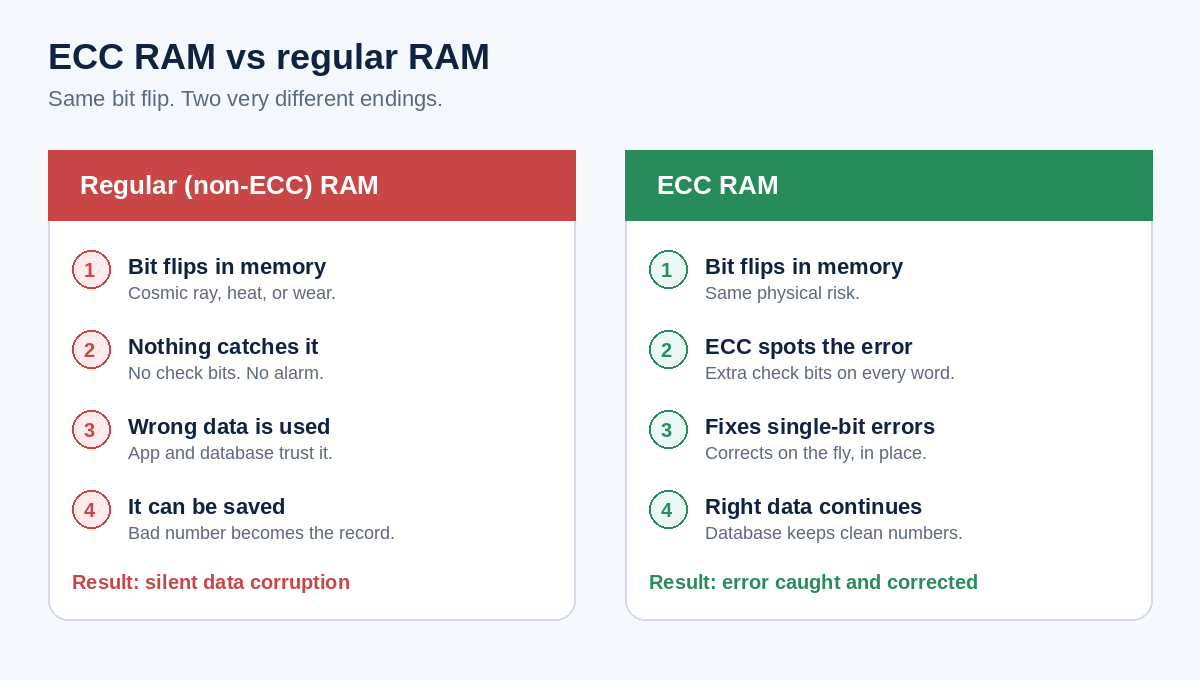
ECC needs a motherboard and CPU that support it. That usually means a real server or workstation class machine, not a bargain gaming PC pressed into service as a “server.” You also need ECC modules in every slot that matters. Mixing ECC and non-ECC often turns the protection off.
Who needs it
Anyone running a local database that the business depends on:
- Dental practice management and imaging databases
- Law firm case and document systems on a firm server
- Accounting databases such as QuickBooks Enterprise or SQL Server
- Manufacturing ERP and production databases on site
- Any office where staff share one server all day, every day
Who can skip the worry (for now)
If you are fully in the cloud and you do not host a database on your own hardware, the memory quality question mostly sits with your host. Serious cloud providers already use ECC on their side. Still worth asking once. If you are unsure what you actually run, ask us. We will tell you in plain words.
Front-desk laptops and simple office PCs that never hold the practice database do not need the same bar. Put the spend where the books live.
How this fits with the rest of your stack
ECC is not a backup. It is not antivirus. It will not stop ransomware. It sits next to the other basics we care about on a business server: real server hardware (not a desktop in a closet), solid disk protection such as RAID, tested backups with an offsite copy, and updates that actually get done.
If you already read our notes on why clinics need a true server and RAID in plain words, think of ECC as the memory half of that same story.
A simple owner checklist
- Do we run a database on a local server?
- Is that machine server or workstation class, or a desktop?
- Does it support ECC, and is ECC RAM actually installed?
- Are we mixing memory types that might disable ECC?
- Do we have tested backups even if the hardware is solid?
You do not need to memorize chip specs. You need a clear yes or no from someone who will look with you.
Want us to check your server?
Our IT specialists can tell you whether your server uses ECC, whether the board supports it, and what a clean fix looks like if it does not. No jargon dump. No scare story. Just a straight answer for the owner.
Or call (604) 813-7881 and ask for Tony.